PlannedIt vs Trello
Trello is great for simple Kanban boards — but when you need Gantt charts, a CRM pipeline, and real project management, it falls short. PlannedIt picks up where Trello stops.
Quick Comparison
Why teams outgrow Trello
No Gantt charts or timelines
Trello is boards and cards. There's no built-in Gantt chart, timeline view, or way to visualize project schedules with dependencies.
No CRM or sales pipeline
Trello has no deal tracking, revenue forecasting, or contact management. You need a completely separate CRM tool.
Power-Ups fill the gaps (at a cost)
Need charts? Pay for a Power-Up. Need calendar? Another Power-Up. Free Trello limits you to one Power-Up per board.
Boards don't scale
Trello works great for small projects. But as complexity grows, managing multiple interconnected boards becomes unwieldy.
Feature Comparison
| Feature | PlannedIt | Trello |
|---|---|---|
| Kanban Boards | ✓ | ✓ |
| Gantt Charts | ✓ | ✗ |
| Sales Pipeline CRM | ✓ | ✗ |
| Revenue Forecasting | ✓ | ✗ |
| Calendar View | ✓ | Power-Up |
| Task Dependencies | ✓ | ✗ |
| Recurring Tasks | ✓ | Power-Up |
| Project Templates | ✓ | ✓ |
| Offline Access | ✓ | ✗ |
| Contact Management | ✓ | ✗ |
| One-Time Purchase | $149 | $5+/user/mo |
| Free Tier | Board view, 3 deals + 3 projects | Yes (10 boards, limited) |
| Free Trial | 14 days (all features) | 14 days (Premium) |
Where Trello wins
- ✓Intuitive, dead-simple Kanban interface
- ✓Generous free plan for small teams
- ✓Mobile apps with offline board access
- ✓Huge Power-Up marketplace for extensibility
- ✓Real-time collaboration with comments and mentions
Where PlannedIt wins
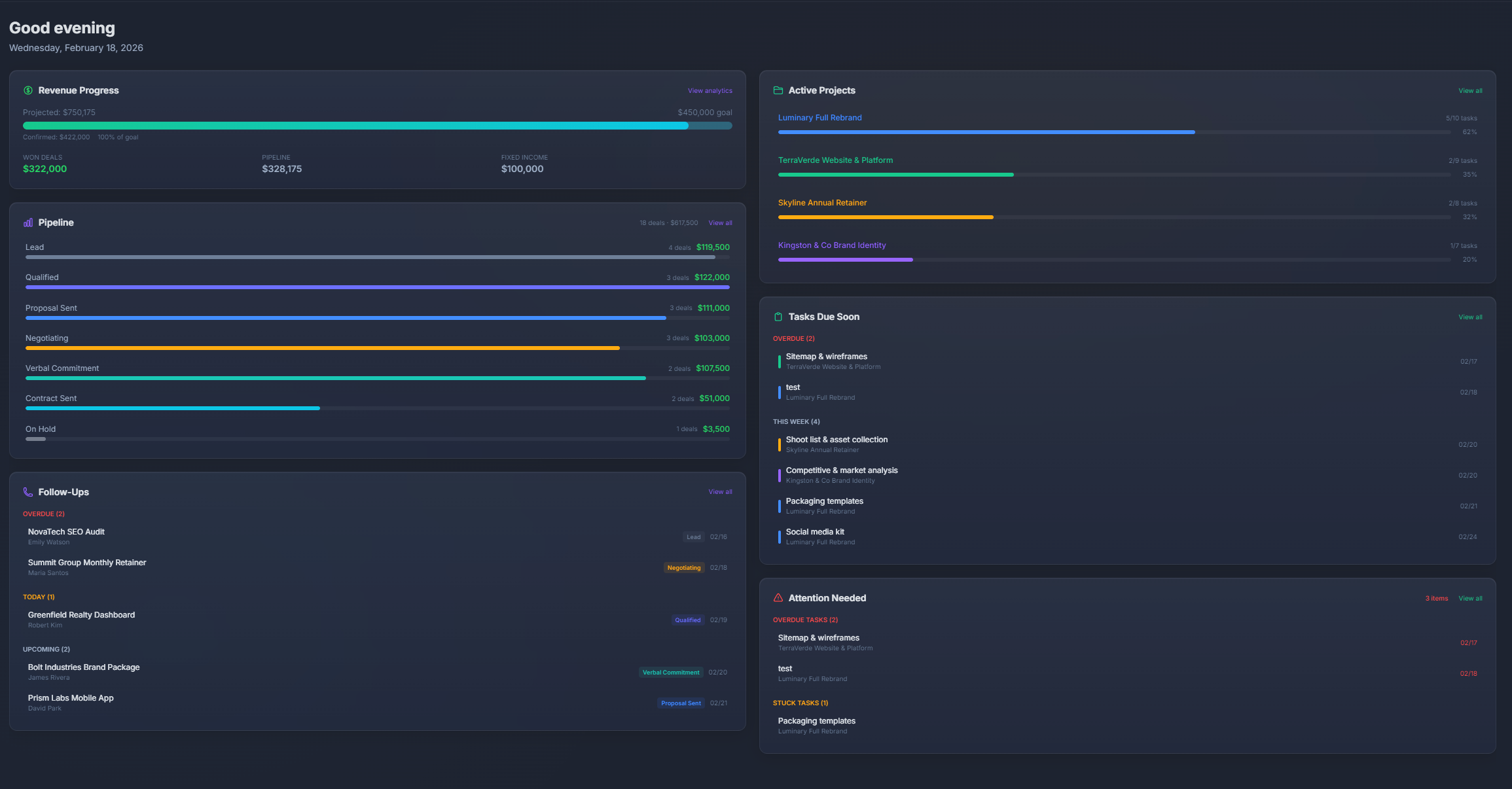
- ✓Real project management — Gantt charts with dependencies, timeline scheduling, resource views. PlannedIt is built for managing complex projects, not just moving cards.
- ✓Built-in CRM — Track deals, manage contacts, forecast revenue. Go from "deal won" to "project started" without switching apps.
- ✓One app, one price — No Power-Ups, no per-user charges. Everything is included in a single one-time purchase.
Cost over 3 years
| Year | PlannedIt | Trello | Savings |
|---|---|---|---|
| Year 1 | $299 | $300 | $1 |
| Year 2 | $299 | $600 | $301 |
| Year 3 | $299 | $900 | $601 |
Trello pricing based on 5 users on Standard plan ($5/user/mo).
Who should choose PlannedIt over Trello?
- ✓Teams that have outgrown simple Kanban boards
- ✓Anyone who needs Gantt charts and timeline views
- ✓Businesses that want CRM + project management in one place
- ✓Trello users paying for multiple Power-Ups to fill feature gaps
- ✓Teams that want to own their tool instead of subscribing
The Verdict
Trello is a solid tool — but if you want CRM + project management without monthly fees, PlannedIt gives you both for a one-time price.
Download free. Try everything for 14 days. Keep the free tier forever.
Try PlannedIt Free