Project Management You Actually Own
Gantt charts, Kanban boards, task lists, calendar view, recurring tasks, and project templates — all in a desktop app you buy once.
What's Included
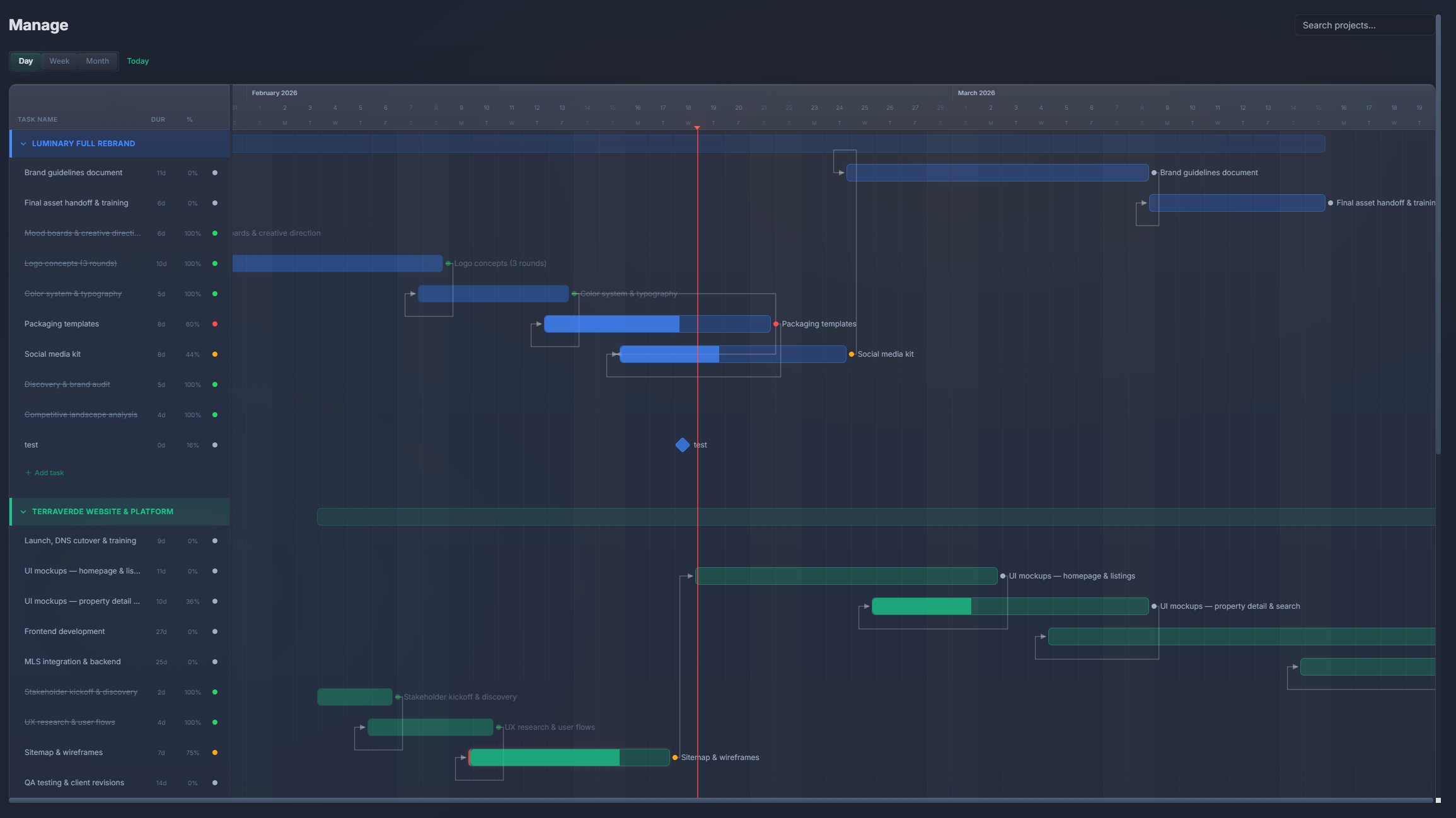
Gantt charts
Visualize project timelines with task dependencies, drag-to-reschedule, milestones, and multi-project views.
Kanban boards
Manage tasks with drag-and-drop columns. Customize statuses, assign team members, and track progress visually.
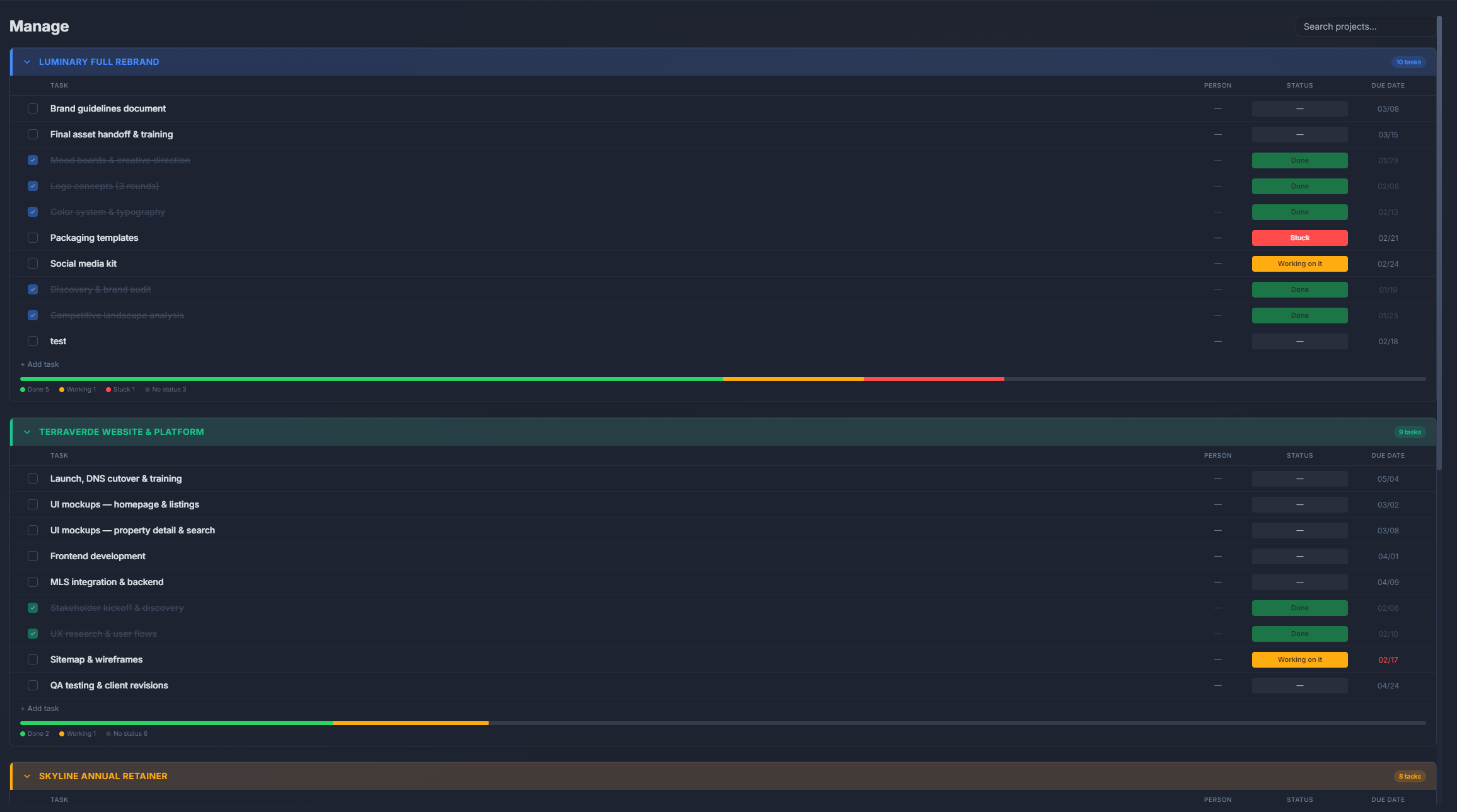
Task management
Create tasks with assignees, due dates, priorities, descriptions, and subtasks. Track completion across all projects.
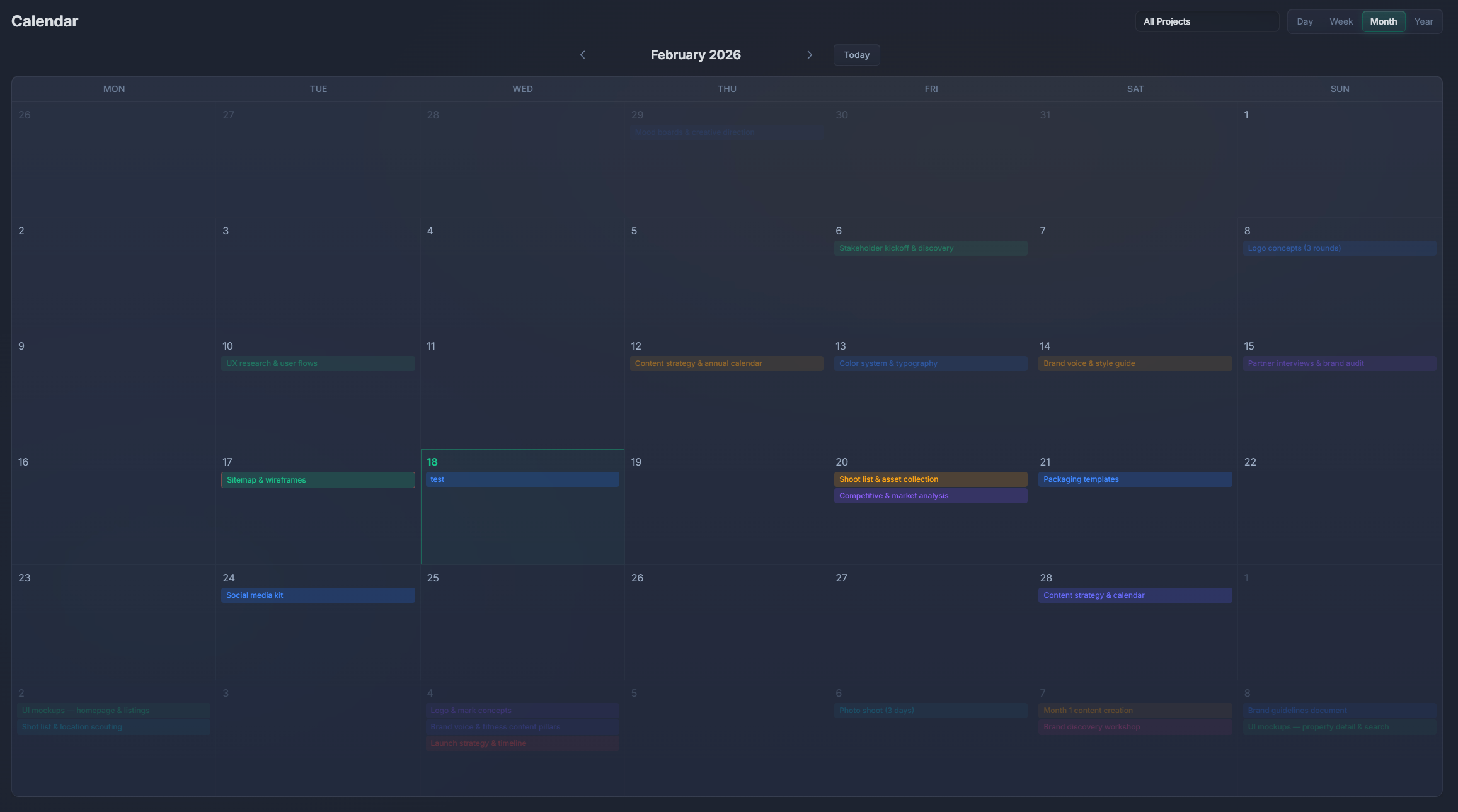
Calendar view
See all tasks and deadlines on a monthly or weekly calendar. Drag tasks to reschedule. Spot conflicts at a glance.
Recurring tasks
Set tasks to repeat daily, weekly, monthly, or on custom schedules. Never forget routine work.
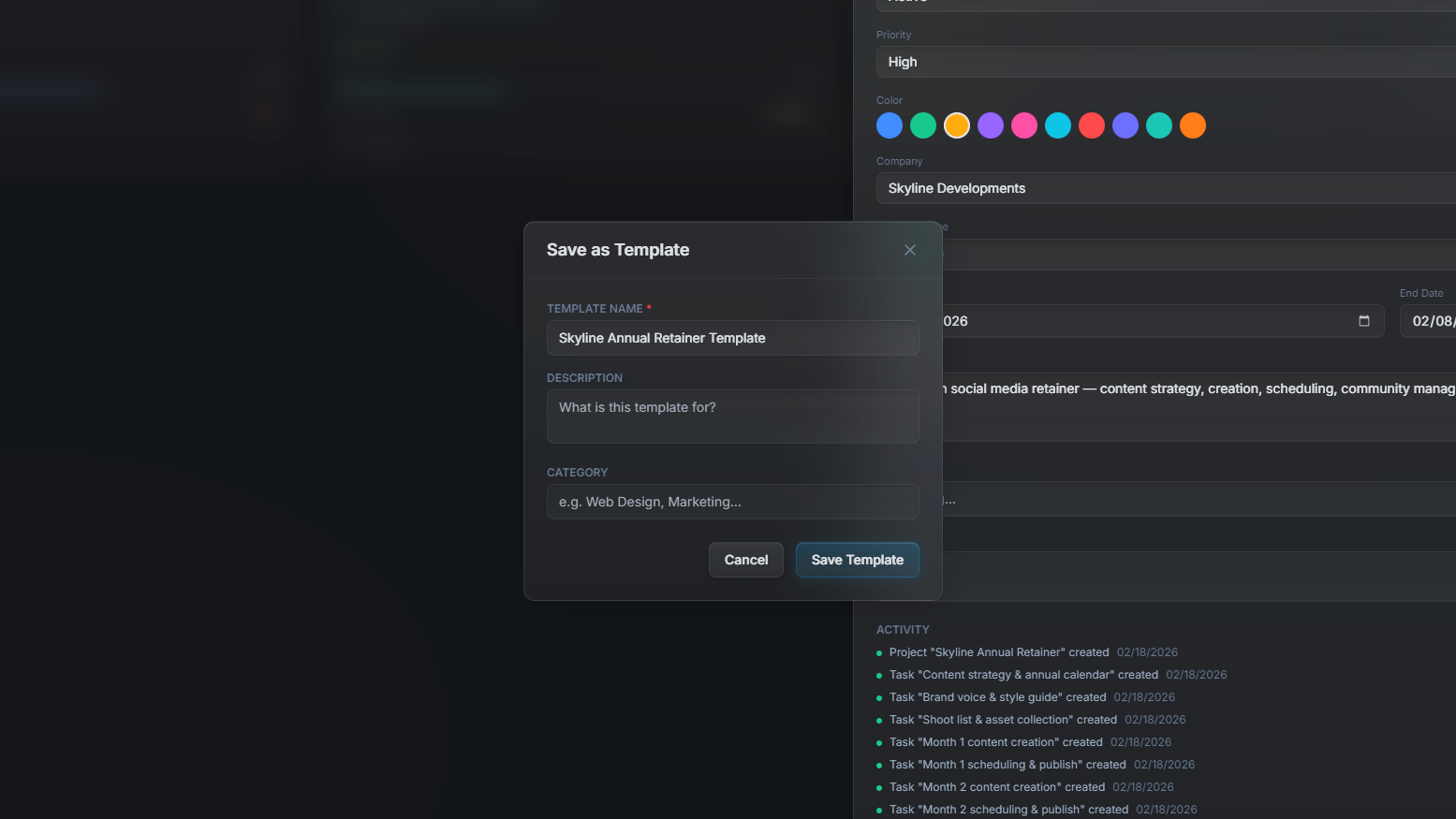
Project templates
Save project structures as templates. Start new projects instantly with pre-defined tasks, stages, and assignments.
Project management comparison
| Feature | PlannedIt | Others |
|---|---|---|
| Gantt charts | Paid plans ($99+) | Paid tiers only (Asana, Monday) |
| Kanban boards | ✓ | Most tools |
| Calendar view | Paid plans | Most tools |
| Built-in CRM | ✓ | Rarely |
| Offline access | ✓ | Rarely |
| One-time purchase | $99 | $7–36/user/mo |
Project management without per-seat fees
Monday.com, Asana, and ClickUp all charge per user per month. PlannedIt Manage costs $99 once — or get it with CRM in the Complete bundle for $149. No recurring fees, ever.
14-day free trial of all features. Free tier keeps board view, 3 deals, and 3 projects forever.