Calendar View for Every Deadline
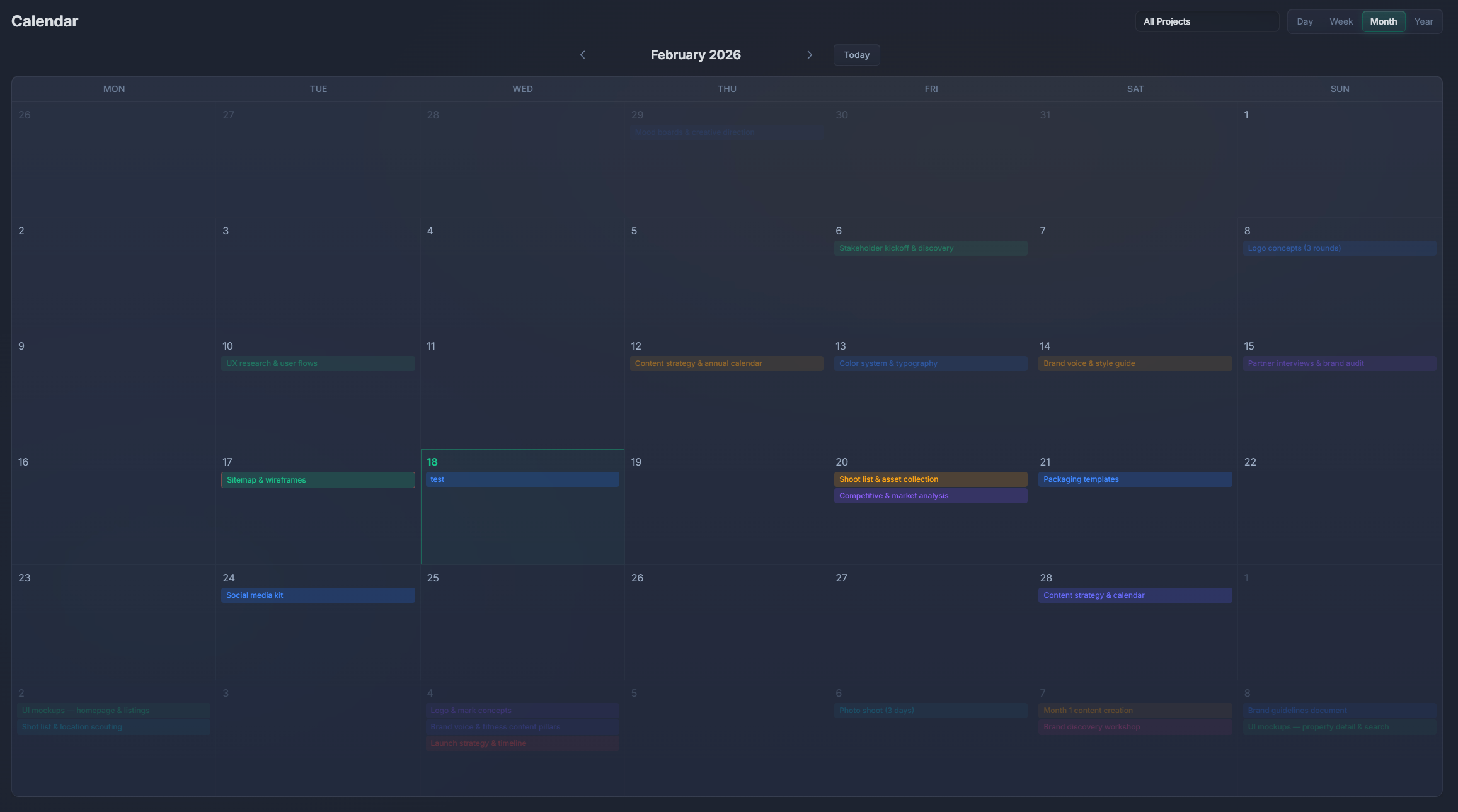
See all your tasks, milestones, and deadlines on a clean calendar. Monthly and weekly views with drag-to-reschedule. Plan your work visually.
What's Included
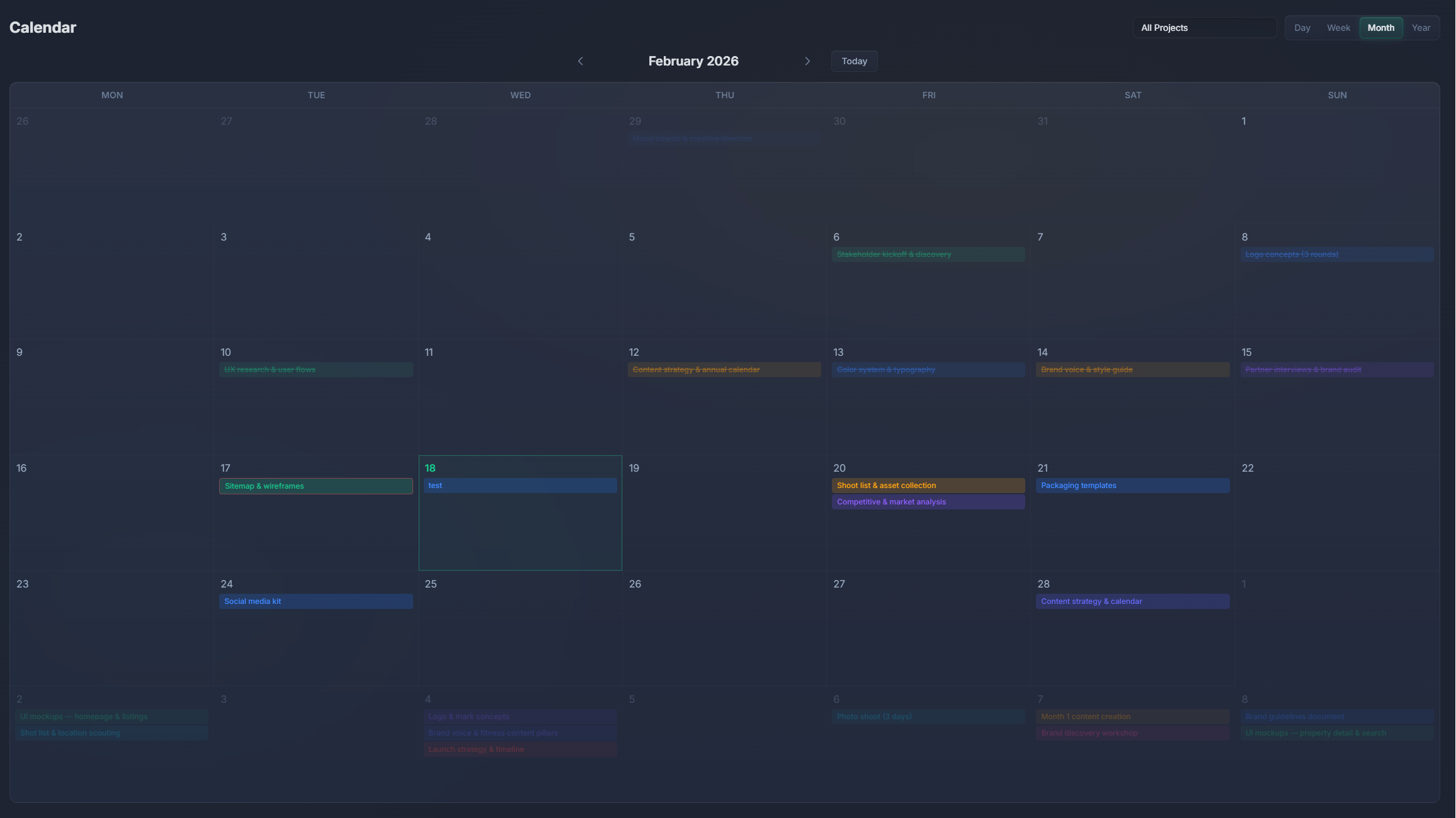
Monthly view
See the full month at a glance. Tasks appear on their due dates. Overdue tasks are highlighted.
Weekly view
Zoom into a single week for detailed day-by-day planning. See task times and durations.
Drag to reschedule
Move tasks between days by dragging them. The due date updates automatically. Fast and intuitive.
Project color-coding
Tasks are colored by project. Immediately see which project each task belongs to on the calendar.
Milestone markers
Project milestones appear as distinct markers on the calendar. Never miss a key deadline.
Cross-project view
See tasks from all your projects on one calendar. Filter by project, assignee, or priority.
Calendar view comparison
| Feature | PlannedIt | Others |
|---|---|---|
| Calendar view | Paid plans | Most tools |
| Drag-to-reschedule | ✓ | Most tools |
| Project color-coding | ✓ | Some tools |
| Works with Gantt + Kanban | ✓ | Some tools |
| Offline access | ✓ | Rarely |
| One-time purchase | $99 | $5–12/user/mo |
Calendar included in paid plans
Calendar view is included in all paid plans of PlannedIt (Manage $99, Complete $149, Team $299, Business $499). One-time purchase — no per-user charges, no feature tiers.
14-day free trial of all features. Free tier keeps board view, 3 deals, and 3 projects forever.