Gantt Charts Built for Real Work
Plan projects visually with drag-and-drop scheduling, task dependencies, milestones, and a timeline that actually makes sense. No subscription required.
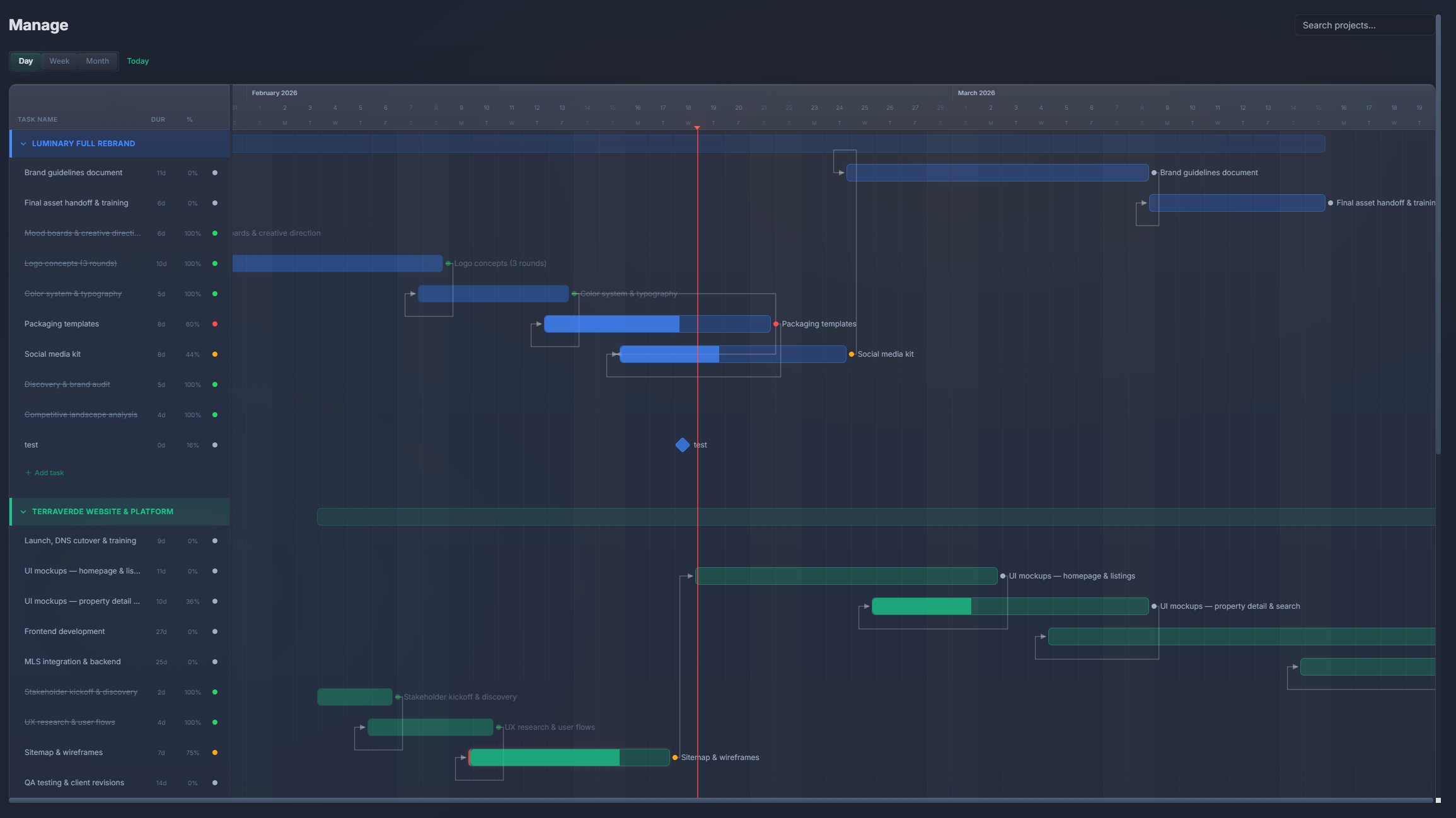
How It Works
Create a project
Set up a project with a name, color, and date range. Add it to your workspace.
Add tasks to the timeline
Create tasks with start dates, durations, and assignees. They appear as bars on the Gantt chart.
Link dependencies
Connect tasks that depend on each other. Arrows show the relationship, and rescheduling cascades automatically.
Drag to adjust
Move or resize task bars directly on the timeline. The schedule updates instantly.
What's Included
Drag-to-reschedule
Click and drag tasks to move them on the timeline. Dependent tasks shift automatically. Resize task bars to adjust duration.
Task dependencies
Connect tasks with finish-to-start dependencies shown as right-angle arrows. See the critical path at a glance.
Milestones
Mark key project dates as diamond-shaped milestones on the timeline. Track deadlines and deliverables visually.
Project color-coding
Each project gets a unique color. View multiple projects on one timeline and instantly see which tasks belong where.
Three-row header
Year, month, and day headers give you context at every zoom level. Zoom in for daily planning or out for monthly overviews.
Today marker
A vertical line marks today on the timeline. See at a glance what's overdue, in progress, and upcoming.
Gantt chart comparison
| Feature | PlannedIt | Others |
|---|---|---|
| Gantt chart included | Paid plans ($99+) | Paid plans only (Monday, Asana) |
| Task dependencies | ✓ | Most paid plans |
| Drag-to-reschedule | ✓ | Most tools |
| Milestones | ✓ | Varies by tool |
| Offline access | ✓ | Rarely |
| One-time purchase | $99 | $10–36/user/mo |
Gantt charts without the subscription
Most project management tools lock Gantt charts behind paid tiers — and so does PlannedIt. The difference? You pay $99 once (Manage module) or $149 (Complete bundle with CRM), and it's yours forever. No monthly fees, no per-seat charges.
14-day free trial of all features. Free tier keeps board view, 3 deals, and 3 projects forever.